
Download NextDNS – Secure, Fast, and Customizable DNS Service
Overview
NextDNS is a cloud‑hosted DNS service that replaces the default DNS provided by your ISP with a faster, more secure, and highly configurable alternative. By routing every domain request through NextDNS, you gain protection against phishing, malware, and typosquatting while also benefiting from parental controls, content filtering, and detailed analytics. The service works across all major platforms—including Windows, macOS, Android, and iOS—making it a versatile tool for both home users and small businesses.
What sets NextDNS apart is its blend of simplicity and depth: a modern web‑based UI lets you spin up multiple filtering policies in minutes, yet the underlying engine offers granular control over blocklists, safe‑search toggles, and even VPN/proxy bypass prevention. While a free tier provides ample protection for a typical household, premium plans unlock unlimited queries, advanced analytics, and priority support. Whether you’re looking to speed up web browsing, harden your network against common threats, or enforce family‑friendly internet rules, NextDNS delivers a comprehensive solution without the need for additional hardware.
Core Features
- Automatic Threat Blocking: Real‑time blocklists protect against malware, phishing sites, and typosquatting domains.
- Customizable Content Filters: Choose from pre‑defined categories (adult, gambling, social media) or create your own whitelist/blacklist.
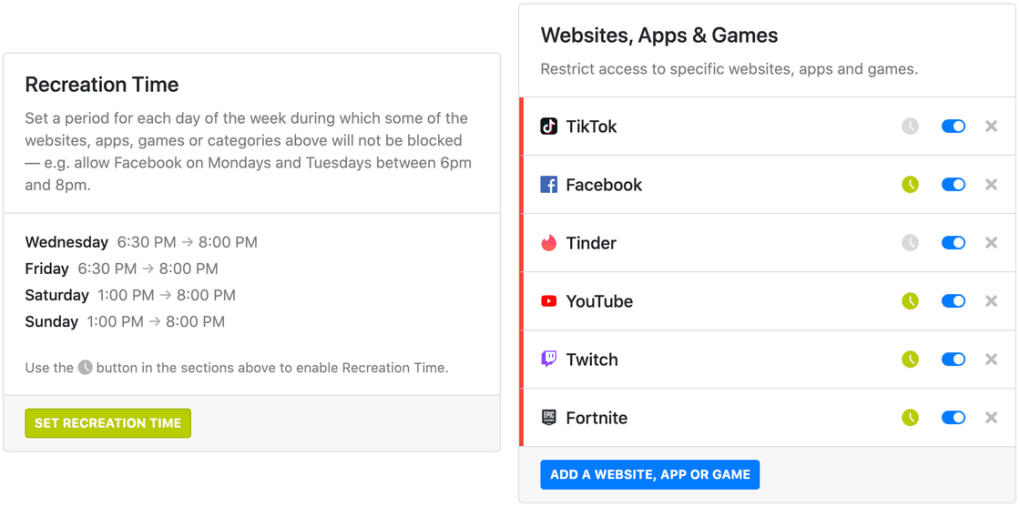
- Parental Controls: Set device‑specific policies, enforce SafeSearch, and restrict access to apps or websites with a single click.
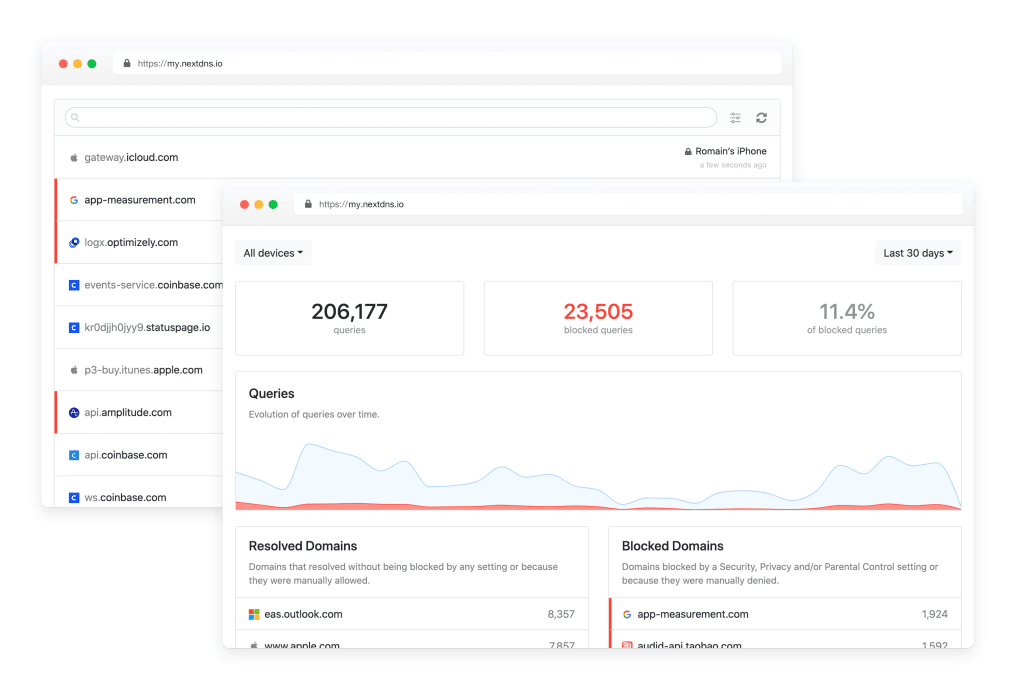
- Analytics Dashboard: View detailed logs, query counts, and blocked request statistics for each device.
- VPN/Proxy Blocking: Prevent users from bypassing your DNS policies by disabling VPNs and proxy services.
- Multiple Configurations: Create unlimited profiles for different devices, families, or workstations and switch between them instantly.
- Cross‑Platform Support: Native apps for Windows, macOS, Android, iOS, as well as router firmware integration.
- Privacy‑First Architecture: No logs are stored permanently; DNS queries are encrypted with DNS‑over‑HTTPS (DoH) or DNS‑over‑TLS (DoT).
- Easy Migration: Import settings from popular DNS services like Cloudflare or OpenDNS with a few clicks.
- Frequent Updates: Blocklists and security rules are refreshed multiple times per day to stay ahead of emerging threats.
Installation & Compatibility
Step‑by‑Step Installation
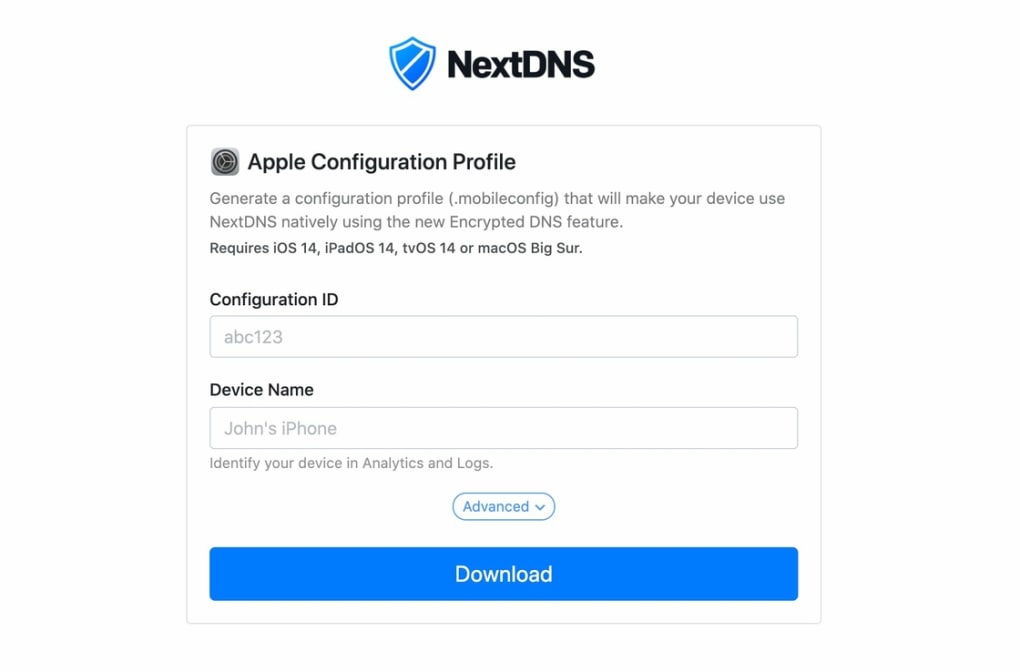
Getting started with NextDNS is straightforward. First, visit the official website and create a free account using your email address or a Google/Apple login. After confirming your account, you’ll be guided to the “Add a Configuration” wizard. Here you can name the profile (e.g., “Home‑Kids”) and select the default blocklists you want active. Once the configuration is saved, you’ll receive a unique DNS endpoint (e.g., 45.90.28.0) that you can paste into any device’s network settings.
For Windows 10/11, open Settings > Network & Internet > Change adapter options, right‑click your active connection, select Properties, then edit the IPv4 DNS fields to the NextDNS endpoint. macOS users can go to System Preferences > Network, choose their active interface, click Advanced, and replace the DNS server addresses. Android devices support the change via Settings > Network & internet > Advanced > Private DNS, where you input dns.nextdns.io. iOS devices require navigating to Settings > Wi‑Fi, tapping the information icon next to the network, and updating the DNS fields.
NextDNS also offers native apps for Windows, macOS, Android, and iOS that automatically configure the DNS settings and keep the service running in the background. These apps provide real‑time notifications when a threat is blocked and allow you to switch between profiles without leaving the app. For router owners, the service supports OpenWrt, DD‑WRT, and major commercial firmware via a simple DNS entry, ensuring every device on your network benefits from the protection.
Supported Operating Systems
NextDNS is compatible with a wide range of platforms:
- Windows 10, Windows 11 (both 64‑bit)
- macOS Catalina and later (Intel & Apple Silicon)
- Android 8.0 (Oreo) and newer
- iOS 13 and newer (iPhone, iPad)
- Linux distributions with systemd-resolved or NetworkManager
- Popular router firmware (OpenWrt, DD‑WRT, AsusWRT, pfSense)
The service works with any device that allows custom DNS entries, making it an ideal choice for mixed‑environment households or small offices. Because NextDNS relies on encrypted DNS protocols (DoH/DoT), it remains secure even on public Wi‑Fi networks, ensuring that your browsing data is protected from eavesdropping.
Pros and Cons
Advantages
- High‑speed DNS resolution reduces page load times.
- Robust security features block malware, phishing, and unwanted trackers.
- Granular parental controls let you tailor internet access per device.
- Cross‑platform apps simplify setup on Windows, macOS, Android, and iOS.
- Encrypted DNS (DoH/DoT) safeguards queries on unsecured networks.
- Detailed analytics give insight into network activity and potential threats.
- Free tier sufficient for most home users; premium plans add unlimited queries.
Drawbacks
- Initial configuration can be intimidating for non‑technical users.
- Premium features (unlimited logs, advanced analytics) require a paid subscription.
- Some ISP routers do not expose DNS settings, necessitating manual firmware changes.
- Occasional latency spikes if the nearest NextDNS edge node is overloaded.
Frequently Asked Questions & Final Verdict
Is NextDNS free to use?
Yes, NextDNS offers a free tier that includes up to 300 000 DNS queries per month, which is ample for most households. The free plan provides access to core blocklists, parental controls, and basic analytics. Users who need unlimited queries, advanced reporting, or priority support can upgrade to a paid plan starting at $1.99 per month.
How does NextDNS improve browsing speed?
NextDNS operates a global network of DNS resolvers optimized for low latency. By selecting the closest edge node, DNS lookups are completed faster than many ISP‑provided resolvers. Additionally, the service caches frequently requested domains, reducing the round‑trip time for repeat visits.
Can I use NextDNS on multiple devices simultaneously?
Absolutely. NextDNS allows you to create unlimited configurations and assign them to any number of devices. Whether you have smartphones, tablets, laptops, smart TVs, or a whole home network behind a router, each can point to the same or different profiles based on your preferences.
Is my DNS traffic encrypted?
Yes. NextDNS supports DNS‑over‑HTTPS (DoH) and DNS‑over‑TLS (DoT), which encrypt DNS queries between your device and the resolver. This prevents third parties, including ISPs and public Wi‑Fi operators, from snooping on the domains you request.
Do I need to create an account to keep my settings?
Creating an account is optional for one‑off testing, but it is required to save configurations, sync them across devices, and access premium features. Account creation is quick, and all data is stored securely in accordance with GDPR and CCPA standards.
Final Verdict
NextDNS stands out as a powerful, secure, and user‑friendly DNS solution that delivers tangible performance gains while fortifying your digital life. Its blend of pre‑configured blocklists, flexible parental controls, and detailed analytics makes it suitable for families, remote workers, and small businesses alike. Although the initial setup may require a few minutes of learning, the long‑term benefits—faster browsing, reduced exposure to malicious sites, and centralized control over every device—far outweigh the minor drawbacks. For anyone seeking a free, privacy‑focused alternative to ISP DNS, NextDNS is a compelling choice. Download the app today, configure a profile, and experience a cleaner, safer internet instantly.







